BLOG
Why AI Headshot Generators Remove Your Hijab
You upload your photos. The AI generates headshots. And your hijab is gone. Or the color is wrong. Or the draping looks nothing like how you actually wear it.
This is the single most common complaint from hijab-wearing women who try AI headshot generators. It happens across nearly every tool, from free options like DALL-E to paid platforms like HeadshotPro and Aragon AI. The hijab disappears, changes color, gets pushed back, or morphs into something unrecognizable.
It is not a bug. It is a structural problem with how these AI models are trained. And understanding the root cause is the first step to finding a tool that actually works for hijabi women.
The technical root cause: training data bias
AI headshot generators use diffusion models, either open-source architectures like Stable Diffusion or proprietary versions built on the same foundations. These models are fine-tuned on massive portrait datasets to learn what a "professional headshot" looks like: the lighting, the pose, the expression, the framing. But the datasets they learn from have a serious blind spot.
The most commonly used training datasets for face generation, including LAION-5B, FFHQ (Flickr-Faces-HQ), and CelebA, are overwhelmingly Western. FFHQ, for example, was scraped from Flickr and contains 70,000 face images. The vast majority feature people without head coverings. CelebA is even more skewed: it contains 200,000 celebrity faces, almost none wearing hijab. When an AI model trains on these datasets, it builds an internal representation of what a "normal" face looks like. And that representation does not include a hijab.
The consequences are predictable. When the model encounters your uploaded photos with a hijab, it treats the hijab as an anomaly. It is trying to make you look like the "average" person in its training data, which means bare head, styled hair, no head covering. The AI is not being malicious. It is doing exactly what it was trained to do: generate outputs that resemble the statistical center of its training distribution.
This is the same bias pattern that shows up across AI systems. Facial recognition software underperforms on darker skin tones because the training data skews lighter. Voice assistants struggle with non-Western accents because the speech data is English-dominant. And AI headshot generators remove hijabs because the portrait data barely includes them.
What actually happens to your hijab
The hijab AI problem is not a single issue. It manifests in at least five distinct failure modes, and most users experience multiple ones in the same batch of generated headshots.
- 1Complete removal. The AI generates a headshot with hair instead of hijab. This is the most extreme failure and the most common one reported by users. The model has decided your hijab should not be there and replaced it entirely.
- 2Color change. Your black hijab becomes gray. Your navy becomes a washed-out blue. Your burgundy turns pink. The model preserves the general shape of a head covering but shifts the color toward what it considers "more likely" based on its training data.
- 3Style alteration. The draping, folds, and coverage change from your original. If you wear your hijab pinned a specific way, with a particular layering or wrap style, the AI often defaults to a generic scarf shape that looks nothing like yours.
- 4Pushback. The hijab is moved backward on the head, revealing hair at the front. This is particularly frustrating because it creates an image that looks like you are wearing your hijab incorrectly. The model is "compromising" between its expectation of hair and your actual hijab.
- 5Texture blending. The hijab merges with the background or your clothing, losing its distinct appearance. The edges become soft and undefined, the fabric texture disappears, and the hijab starts to look like a smudge rather than a garment.
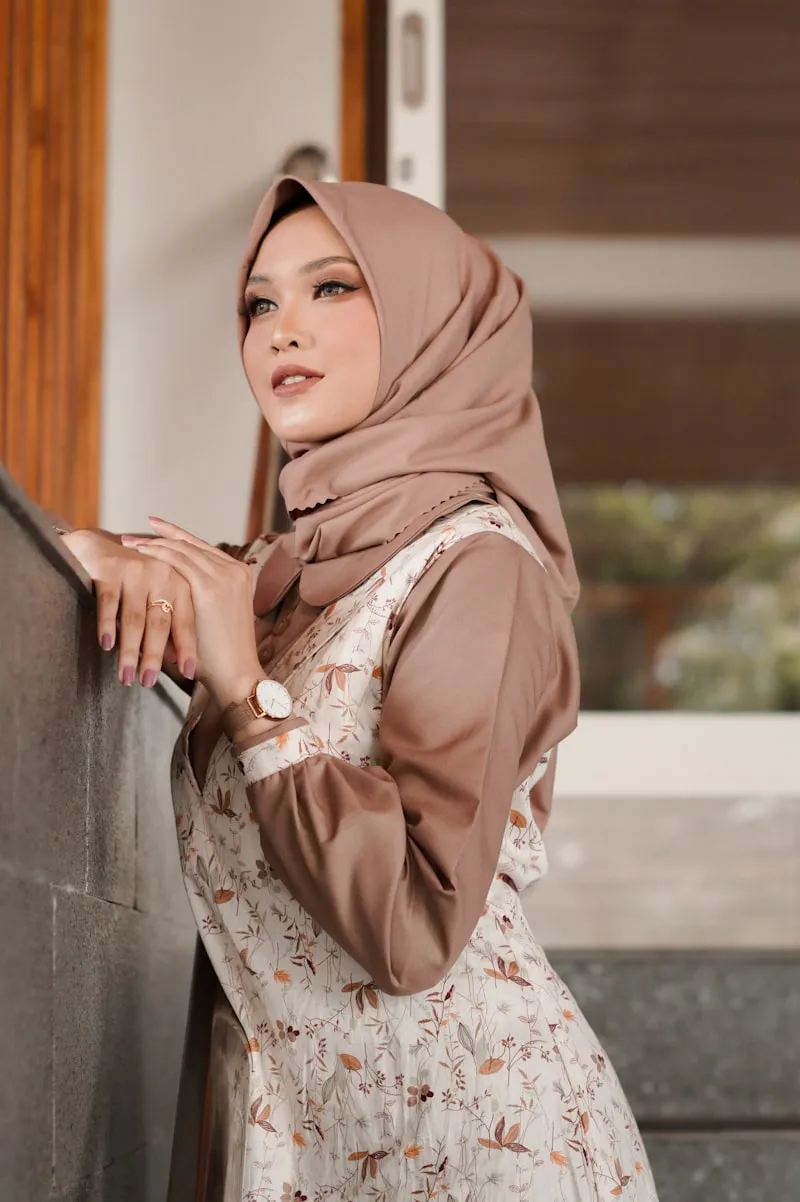
A professional hijab portrait with the original style and color preserved.
Which tools get it wrong (and why)
Most mainstream AI headshot tools use general-purpose diffusion models that were never trained to handle hijab. HeadshotPro, Aragon AI, BetterPic, and ProPhotos all fall into this category. They may produce excellent results for users without head coverings, but they consistently fail for hijabi women.
Some of these tools have attempted to address the problem by adding "preserve headwear" or "keep head covering" instructions to their generation prompts. But prompt-level fixes cannot override training data bias. If the model has no internal understanding of what a hijab looks like, telling it to "keep the hijab" produces unreliable results at best.
ProPhotos AI has been specifically noted in user reviews for not dressing users in proper hijab or attire. The AI generates headshots that look professional in every way except the one that matters most: your hijab is wrong.
Free tools are even worse. DALL-E and Midjourney can generate impressive images from text prompts, but they have no mechanism for fine-tuning on your individual face and hijab. They work from generic text descriptions, which means the output is a generic interpretation of "woman in hijab" rather than an accurate representation of you.
For a detailed side-by-side comparison, see our full comparison of the best AI headshot generators for hijab.
Why prompt engineering alone does not fix it
Some AI tools claim to solve the hijab problem by adding instructions like "keep the hijab," "maintain head covering," or "preserve religious attire" to their generation prompts. This sounds reasonable in theory, but it fundamentally misunderstands how diffusion models work.
A text prompt guides the generation process, but it cannot create knowledge the model does not have. If the model was trained on datasets with very few hijab images, it has a weak and inaccurate internal concept of what a hijab looks like. Telling it to "keep the hijab" is like asking someone who has never seen a hijab to draw one from a text description. The results will lack accuracy in color, draping, fabric texture, and coverage.
The only real solution is at the training data level. Models need to be fine-tuned on your actual photos, with architectures that understand your hijab as an integral part of your appearance rather than an optional accessory. This is the difference between a prompt-level patch and a genuine fix.
How to actually fix it
If you are a hijabi woman who needs professional headshots, you have three realistic options for getting results that actually preserve your hijab.
Use a hijab-specific tool. HijabHeadshots HijabHeadshots is built specifically to preserve hijab. The AI model is fine-tuned on your uploaded photos, learning your exact hijab style, color, and draping. Because it trains on your photos rather than relying on a generic model, it produces headshots where your hijab looks exactly the way you wear it.
Upload more hijab photos. If you decide to use a general-purpose tool, upload at least 15 photos where your hijab is clearly visible from different angles. This gives the model more data to work with and increases the chance it will preserve your hijab. However, this approach still relies on a model that was not designed for hijab, so the results are unpredictable. You may get a few decent outputs in a batch of 40, or you may get none.
Check example outputs first. Before paying for any AI headshot tool, look at the website for hijab headshot examples. Do they show women wearing hijab in their sample gallery? Are the hijabs accurate in color and style, or do they look generic? If the tool does not show any hijab examples at all, it almost certainly was not tested for hijab preservation and you should not expect it to work.
What HijabHeadshots does differently
HijabHeadshots takes a fundamentally different approach to the hijab AI problem. Instead of relying on a general-purpose model with a prompt-level patch, it fine-tunes a dedicated model on your uploaded photos. This means the AI learns your face and your hijab as a single unit. It understands the exact color of your hijab, the way it drapes, how it sits on your head, and the specific style you wear. Every generation prompt also includes explicit hijab preservation instructions as an additional safety layer.
The result is 40+ professional headshots per training session, each one preserving your hijab exactly as you wear it. All uploaded photos are deleted within 24 hours and are never used for third-party model training. And if you are not satisfied with the results, you get a full refund, because a hijab headshot tool that does not preserve your hijab has not done its job.
FAQ
Can I fix hijab removal by writing a better prompt?
Will AI headshot tools get better at preserving hijab?
Which AI headshot tool preserves hijab best?
Is it safe to upload hijab photos to AI tools?
Keep your hijab. Get a professional headshot.
40+ styles that respect how you actually look. Starting at $19.